When I am not playing gigs, I like to go to live music events of different genres and different levels…after a while, tired of seeing the same things done wrong over and over I thought of writing this short post.
So there you go: 5 mistakes a live musician should never make!
1. Noodling Before/Between Tunes
Very unprofessional, it will make you look like you have been playing for less than a week. It usually also gives away the tune that you are about to play which ruins the surprise effect on the audience. Bad Bad Bad! Even tuning nowadays can be done without making a sound (no excuse to be out of tune ever!).
2. Long gaps between tunes
Oh lord…seen too many times (what are we doing next?). It is ok for a last minute change, but this is the reason why there are setlists!! Each member should have one printed big enough to be read with very little light. Even a last minute show with people you never played with should be as close to a real show as it gets. No setlist? Think of what tune to play next while you are still playing!
3. Being Late
It’s not ‘fashionably late’. It’s just late. And it is not good. You don’t need to be there six hours before a gig, but I find that half hour preceding the start is vital to make sure everybody knows what’s going on, to make last minute changes or to make a good setlist if you are playing a last minute function, and to check that all your gear works.
4. Not bringing spares
You need and extra guitar, extra strings, basic tools to fix a last minute gear problem. Nowadays even a dead amp can be replaced with a small multi-fx with speaker simulator, plugged into a PA…regardelss if you like the tone or not, it will get you to the end of the gig.
5. Entertain
Because it is not fun to look at four guys staring at the floor for two hours, no matter how good you music is or great you are. Thank the crowd for coming to your gig, and the staff at the venue…they will remember.
As a self-promoting musician I have learnt the hard way that time is a precious commodity. Being organized is of paramount importance if you want to dedicate only the necessary time to the boring and repetitive promotional stuff and concentrating on what is more important: your music. So I have learnt to keep a “Press Kit” folder on the desktop of your computer. It won't take you long to put it together, and you'll be able to use it every time you need it.
This will contain:
1. Samples of your music:
At least 3 full tracks from your latest album ready to go. Also I have found handy 3-4 shorter 30 sec samples of your best tunes that are quick to attach and email.
Make sure your MP3's are fully tagged (use this: http://www.mp3tag.de/en/) and the files contain your name, song title and site:
ARTIST_NAME_SONGTITLE_www_ArtistName_com.mp3
2. Pictures:
A few small, medium size and a high-res picture of you (must be great professional promo shots!), a pic of your logo or band logo if you have one, and album artwork (again in 3 sizes) of all your discography.
3. A well written and appealing biography written in different lengths:
– Long version with a lot of detail of what you have achieved in the past, and your vision and goals for your career.
– Medium version – two or three paragraphs, this is usually what you see on the Net in a Bio page.
– Short version 1 paragraph…it must be great, appealing…imagine one paragraph that contains your bio and your vision.
– One-liner – one compelling line, that must say everything about you and your music.
4. Press and quotes from reviews:
Scan anything meaningful that you have in terms of press and appearances on magazines and newspapers, plus one big page/file (like a word file) were you summarize your press
and best quotes from these articles. Put in there endorsements and anything that people said about your music (even comments on your Myspace page if you think they are great!). Think outside the box here.
5. A Links page:
A document (again a word doc or plain text will be fine), where you have all your important web links (Myspace, twitter…) ready to be copied and pasted anywhere.
6. Showreel
If you plan to put this material on line (and make it into a EPK or electronic press kit) I suggest you to have a showreel ready, make it a mashup of performances, pictures slideshow with your music in the background, and the odd interview section where you talk about yourself and your music in first person.
In a few words, any time somebody requests something to do with you as an artist, think 'will I need that again?' if the answer is yes, make sure you leave a copy in this 'press kit' folder on your desktop. And if you are out of inspiration, just browse the web and don't try to copy, but try to improve what you see and like in other artist's pages.
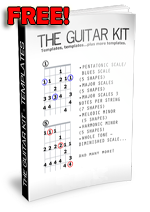
Thank you to all of you that downloaded and sent positive feedback about my Guitar Kit in the past year. I have uploaded a new and improved version. The main reason to upgrade is so that now it is all at 300dpi (print quality) and all the layouts are more consistent. Also, it is now a single PDF file (I am sure your computer will have Adobe Reader), much easier to navigate and print.
Make sure you read the ‘legal’ and ‘printing tips’ in the Read Me file!
The Guitar Kit (v2.0): Guitar Templates (Free Download)
Join our mailing list today to start enjoying exclusive content. Not only you will get The Guitar Kit free, but more exclusive lessons.
I hate spam as much as you do and will never sell or give your information to anybody. I send a message out once a month (if so!). After you entered your details in the form below, you will receive a confirmation email and a separate email with the download link.
Printing tip:
When printing make sure you tick the ‘fit to page’ box in your printing options, so that all these templates will show correctly on any paper size. The ‘Scale Fingerings’ will print best in landscape format.
Legal: Feel free to pass on these templates, or use them for private studies or teaching. You don’t have the rights to modify these templates in any way, to remove the TrueGuitarist.com logo, or for commercial use. For any enquiries get in touch: Visit the Contact Page
If you find ‘THE GUITAR KIT’ useful (and I am sure you will) consider making a donation so I can keep adding free lessons and products for you all to enjoy! Use the DONATE button on the right of the screen at www.TrueGuitarist.com to make a donation safely through Paypal.
After being frustated with my tone tools for quite some time, I moved onto trying to to build my own. It is not as difficult as you would think if you have basic soldering skills and a predisposition to problem-solve and troubleshoot. Of course a simple circuit like a Fuzz pedal or an overdrive is possible to achieve with basic tools and knowledge but semething more complex like a delay pedal migth call for a printed circuit or maybe a kit if your skills are not top notch.
There are quite a few great sites and forums for you to learn the craft (I will post quite a few here). I am sure you will start up with a small selection of tools, but this is highly addictive stuff, so you will see your arsenal of tools grow very rapidly. for the UK the goto place is still Maplin Electronics as for the US Radio Shack still rules the high street.
What you will need:
Soldering iron (nothing too strong 30w will do to start, then maybe a temperature controlled station)
solder (try to get some decent one, maybe with silver and rosin core)
a selection of resistors and electrolytic capacitors, small value capacitor (learn how to read them, it’s not that hard) and stranded wire in a few different colours (you will soon learn the common coding). I’d suggest at the beginning to first to pick a project and try to find all the components, but you will soon realise that most pedals use similar components as they all run at around 9v.
Hammond metal enclosures (you will find predrilled ones online if you are not keen to use a drill), dpdt, 3pdt (for true bypass) switches, jacks, led’s and a set of knobs of your choice.
http://www.tonepad.com – Lots of schematics for the most famous pedals and some good step by step picture tutorials.
http://www.runoffgroove.com – original schematics, this site has been around for quite a while and I have built some of the pedals. highly recommended the different variations of Ruby amp.
www.muzique.com – by Jack Orman, this site has been on since 1995, and it is a must for original designs (don’s quote me on this but it seems that Fulltone took a look to this site for his famous fet booster…)
http://www.beavisaudio.com/ – I LOVE this site, not the biggest but one of the best and clearest (the design is awesome) to understand how things work…great to understand how to connect switches and put together the pedal itself.
www.geofex.com – again one of the oldest sites, great stuff especially the ‘technology of’ pages, where famous pedal are dissected and explained (tubescreamer, fuzz face…). lots to learn here
http://olcircuits.com/olckits.html – licensed kits for some of runoffgroove’s beavis audio, and more sites cited above, if you are in trouble but you like some of the stuff you see on the sites above, here you might find a solution.
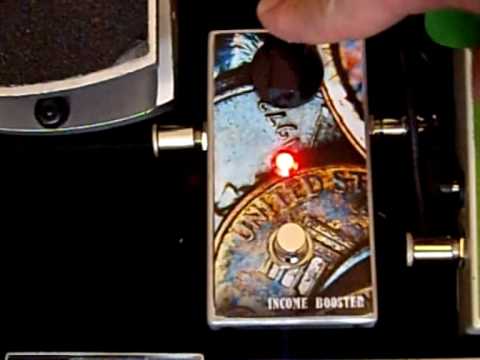
‘Income Booster’ – just a clean volume boost, similar to LPB-1 EH, just a clean and fat volume boost.
OCD clone – Great pedal, made a clone to see how the circuit worked (basically 2 Fets used to clip) and liked the sound after a few tweakes…now in my pedalboard.
Fuzz Face variation:
Swtich pedal for Line 6 MM4 (and all that serie of pedals): This has been on youtube for ages…and I am glad to see it has spakerd quite a conversation and more mods…
Disclaimer: I love making original circuits and cloning existing pedals: the latter should be an exercise and never used for commercial purposes. Companies and individuals spend a lot of time and money to develop those pedals: respect other people’s work. Pay attention to soldering and extra attention if you want to venture into etching and making your own PCB’s, I will not be held responsible for any damage!
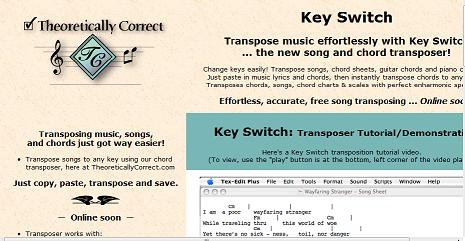
We have seen in one of my videos how to transpose music. I have stumbled a couple of days ago on a site that has on preview this little nifty software, soon to be released for free (this is what the site states, don’t quote me on that!)
It basically promises a very fast and accurate transposition of chord in songs that we can find online. It looks a bit like a text editor that will recognise the chords, just check out the quick demo video on the site and you’ll see what I mean.
It is quite a handy way for songwriters, beginner guitarists or singers that want to find a way to play their favourite song in a more comfortable key.
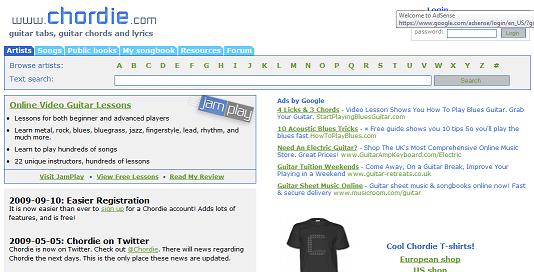
In a way it is what the site chordie has online, in a portable format, in case you had no connection.
These are great tools, but in my opinion not to be used without knowing the theory behind transposing music, a necessary skill if you are serious about making music.